



menu 
EdEPS01 Software
The EdEPS01 Software is an environment used to create application programs for EPS-01 Panel. The EdEPS01 Editor operates under QNX v.6.3 Operating System.
The EdEPS01 Editor enables the following functionalities:
- to create the list of process variables, analogue and binary ones,
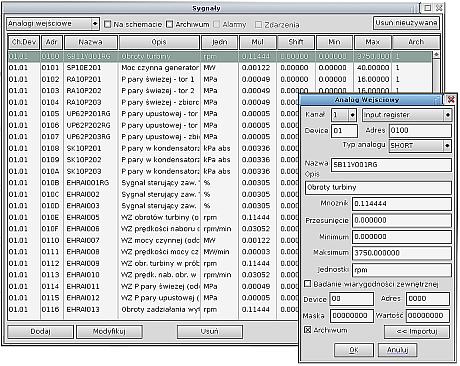
Process variables are added into the measurement base as they are placed in diagram-type image or upon selecting the option Tools/Data Base/Add.
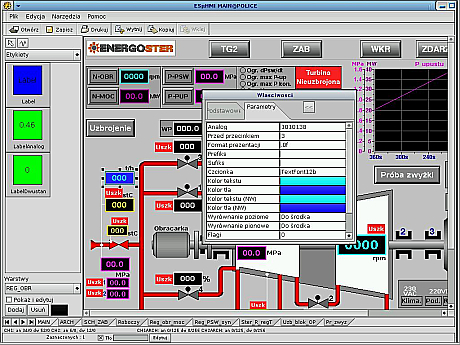
- to build synoptic diagrams,
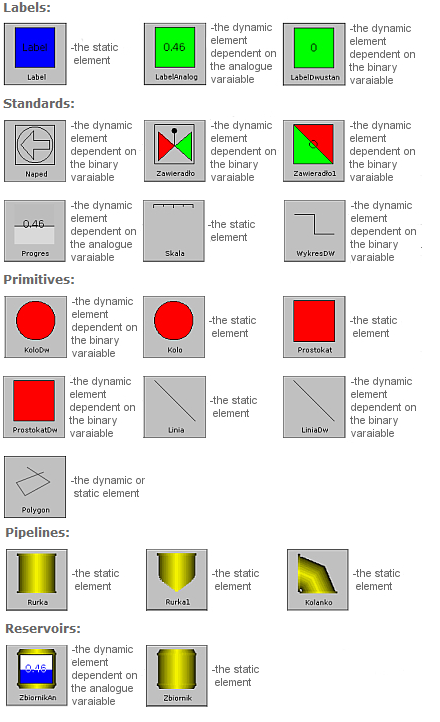
Graphic elements composing synoptic diagrams are classified in six groups as follows: labels, standards, primitives, push-buttons, pipelines, reservoirs. Each group includes both static and dynamic components, their design is dependent on the process variable selected.
- to create operator-process graphic interface
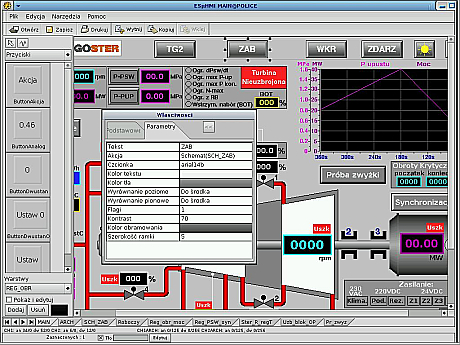
The arrangement of operator-to-process graphic interface is of totally elastic nature. Operator's dialogue is created on the basis of library's push-button elements, such as Action (e.g. call out of diagram-type image, graph, events), Analogue, AnalogueOut (to set analogue variable in a controller), Binary, BinaryOUt (to set binary variable in a controller) and a "window" to introduce the value of analogue measurement;
- to create open/close loop control "windows"
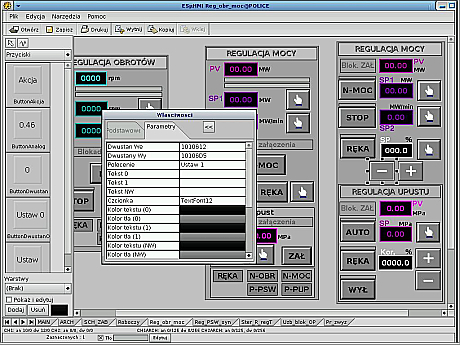
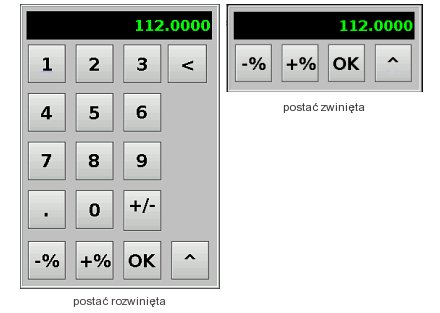
While preparing the appearance and functionalities of open/close loop control "windows" you may use all elements available in diagram-type image building procedure and in operator's dialogue (elements from, inter alia, such groups as: labels, primitives, standards, push-buttons). Analogue values are entered via standard load "window":
- to configure the graphs
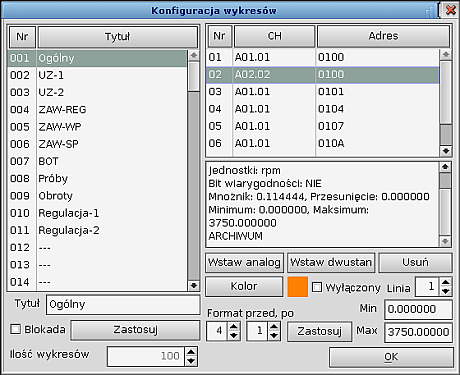
Graph-type diagrams are configured using process variable sets to be shown in the graphs including also such their attributes as: set name, colour and appearance of graph lines, and also format and range of presented measurements (apart from configuring the graphs from the Editor, they may be also configured on-line from the Operator's Panel, type EPS-01).
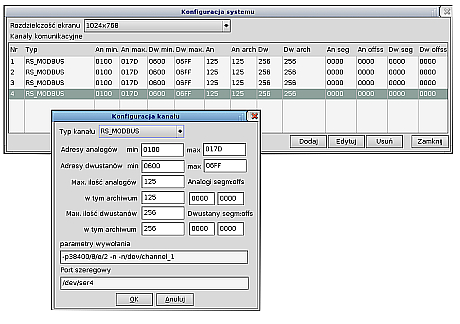
- to define graphic resolution and to configure communication channels.
«return